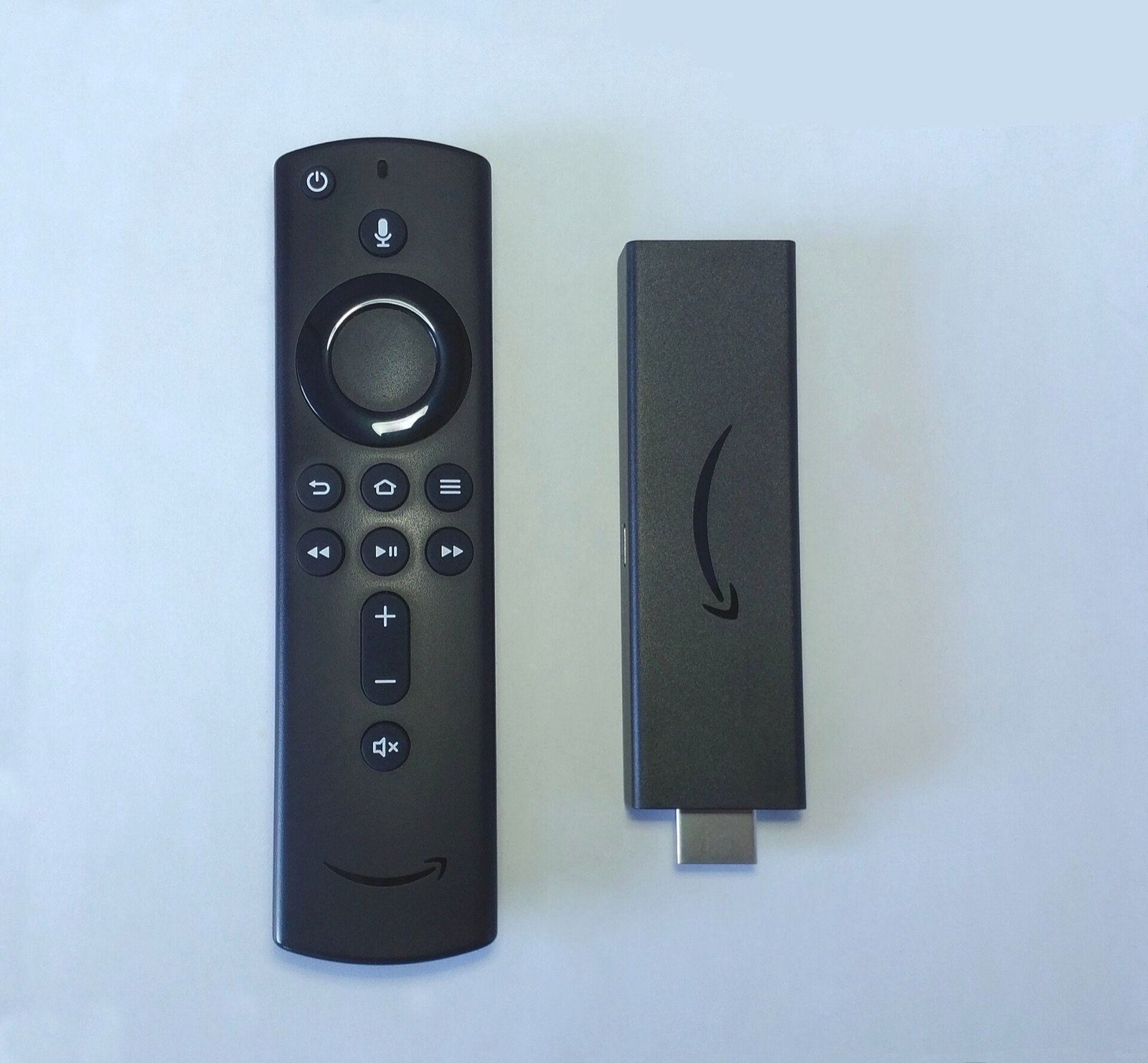
Short answer: IPTV stands for Internet Protocol Television. Instead of reaching your TV through a cable line, a satellite dish or an antenna, the channels travel over an internet connection, the same way a video call or a streaming app does. You watch them in a player app or on a set-top box, with a TV guide, on almost any screen: a smart TV, a Fire TV Stick, a phone or a computer.
What does IPTV stand for?
IPTV means Internet Protocol Television. "Internet Protocol" (IP) is the set of rules every device on the internet uses to send and receive data. IPTV simply uses those same rules to carry television: live channels, movies and series are split into small data packets, sent over the network, and put back together by the device that plays them.
That is the whole idea. Cable TV uses a dedicated coaxial line, satellite TV uses a dish, broadcast TV uses an antenna. IPTV uses an internet connection.
How does IPTV work?
Here is how a channel gets from the provider to your living room, step by step:
Two things make this different from cable. First, the stream is sent on request: your player asks for the channel you choose, rather than receiving every channel all the time. Second, because it runs over the internet, your subscription is not tied to one TV or one room. The same login can play on several screens, within the limit of your plan.
The two kinds of IPTV
The word IPTV covers two quite different setups:
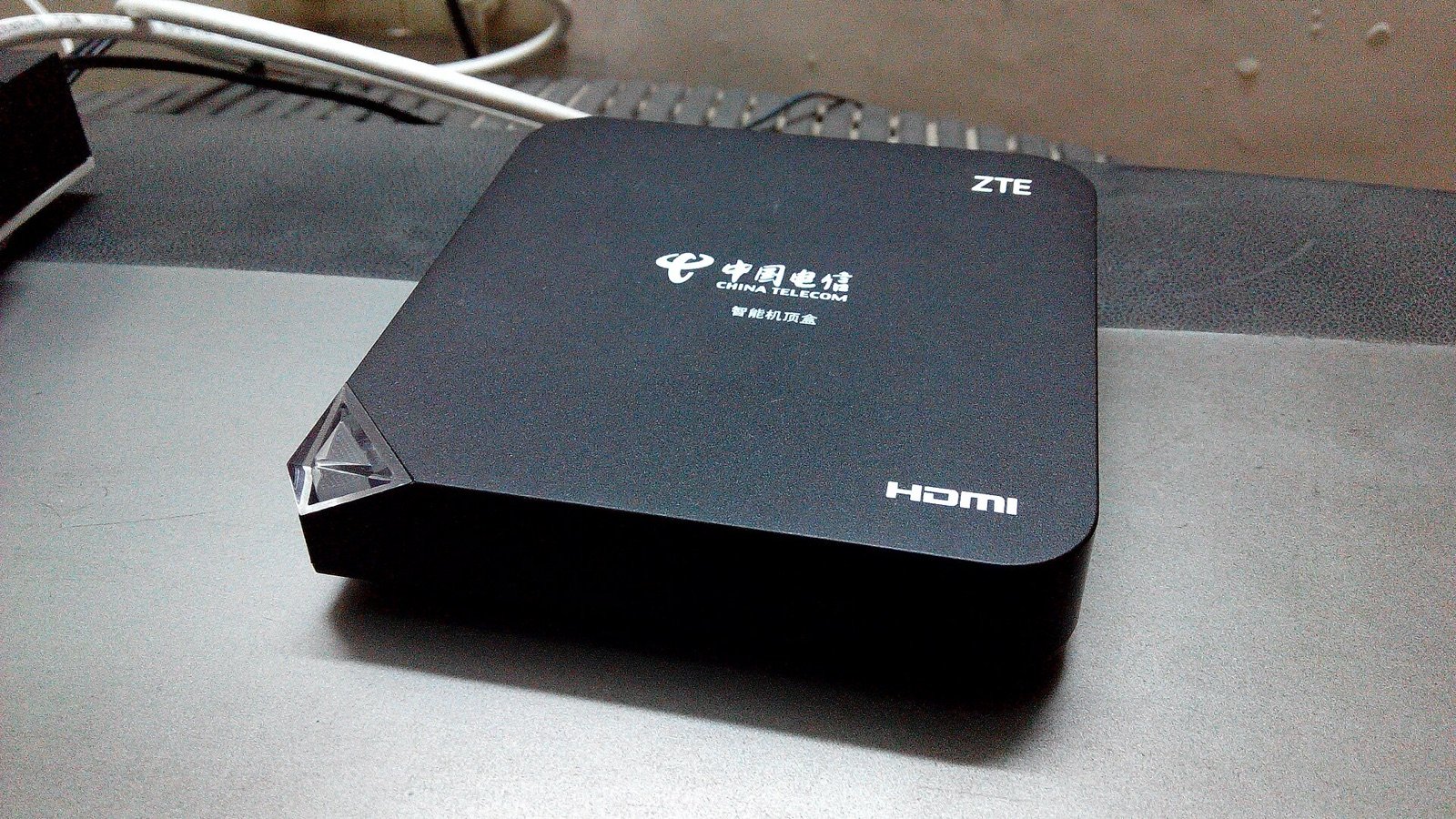
- Managed IPTV is TV delivered by an internet provider over its own private network, usually to a set-top box it rents you, like the one in the photo above. Picture quality is tightly controlled, but the service only works on that provider's network and box.
- Internet IPTV (sometimes called OTT, "over the top") runs over the regular, public internet. You install a player app on the devices you already own and sign in with the details your IPTV provider sends you. It works with any internet provider, at home or on the road. This is what most people mean today when they talk about an "IPTV subscription".
What can you watch with IPTV?
IPTV services usually combine three kinds of content:
- Live TV: channels as they air, news, sports and events, browsed with an electronic TV guide.
- Video on demand (VOD): a library of movies and series you start whenever you like.
- Time-shifted TV: on some services, catch-up (watch a show that already aired) or start-over (restart a program in progress). Availability depends on the provider and the channel.
IPTV vs cable, satellite and streaming apps
| IPTV subscription | Cable or satellite | On-demand streaming apps | |
|---|---|---|---|
| How it arrives | Over your internet connection | Coaxial cable or a dish | Over your internet connection |
| Live TV channels | Yes, with a TV guide | Yes, with a TV guide | Mostly no, on-demand titles |
| Equipment | An app on a TV, stick, phone or computer | A box from the operator, often rented | An app on your devices |
| Screens | Several, depending on the plan | Usually tied to the boxes in the home | Several, depending on the plan |
| Works away from home | Yes, wherever there is internet | Limited | Yes |
| Main weak point | Depends on your connection and on the provider | Price, contracts, equipment fees | No live channels, one app per service |
The IPTV words you will run into
| Term | What it means |
|---|---|
| Player app | The app that plays IPTV, such as TiviMate, IPTV Smarters Pro or UHF. It has no channels of its own. |
| Xtream Codes | A login made of a server URL, a username and a password. Most players support it, and it loads live TV, movies, series and the guide in one go. |
| M3U playlist | A single link (or file) listing all the channels. Simple, supported almost everywhere. |
| EPG | Electronic Program Guide: the TV guide showing what is on now and next. Often delivered as an XMLTV file. |
| MAC portal | A login tied to a device's MAC address, used by some set-top boxes and apps. |
| HLS / MPEG-TS | The two most common formats used to send the video stream. |
| H.264 / HEVC (H.265) | Video compression formats. HEVC is used for most 4K streams and needs a device that can decode it. |
What you need to watch IPTV
- An internet connection: about 10 Mbps of steady speed per screen for HD, and 25 Mbps for 4K. Ethernet or strong Wi-Fi near the TV makes a big difference.
- A device: a smart TV, a Fire TV Stick, an Android TV box, an Apple TV, a phone, a tablet or a computer. Our guides cover the Firestick, Samsung TVs, Roku and Apple TV.
- A player app for that device. Many are free.
- An IPTV subscription, which gives you the login (Xtream Codes or M3U) to enter in the player.
How much internet data does IPTV use?
It depends on the stream's bitrate. As a rough guide, an HD stream at 5 to 8 Mbps uses about 2 to 4 GB per hour, and a 4K stream at 15 to 25 Mbps uses about 7 to 11 GB per hour. If your internet plan has a monthly data cap, keep it in mind if you watch a lot in 4K. More in our 4K IPTV guide.
Is IPTV free? How much does it cost?
Many player apps are free, but the player is only half of it: the channels come from an IPTV subscription. Some providers bill monthly, others per period. With us, plans start at $38 for 3 months on one screen and drop to about $4.13 a month on the 24-month plan; see the full price list. Be careful with "free IPTV" playlists found online: they tend to stop working without warning and come with no support.
How to choose an IPTV service
A long channel list is the easiest thing to advertise and the least useful thing to compare. What matters is whether the service stays stable on your connection at prime time, whether you can test it first, and whether someone answers when something goes wrong. Our 7 checks to find the best IPTV walk through each point, and our free 24-hour trial lets you see it on your own TV, with no card and nothing to pay.
Want to see IPTV in action? Message us on WhatsApp with your device and we will set you up for 24 hours, free.
Frequently asked questions
What does IPTV stand for?
Internet Protocol Television: TV channels, movies and series delivered over an internet connection instead of cable, satellite or an antenna.
How does IPTV work in simple terms?
Your player app asks the provider's servers for the channel you choose, the stream travels over your internet connection, and the app plays it on your screen with a TV guide.
What is the difference between IPTV and streaming apps?
IPTV focuses on live TV channels with a TV guide, like cable, plus on-demand titles. Most streaming apps offer on-demand titles only, one app per service.
Do I need a special box for IPTV?
No. A player app on a smart TV, a Fire TV Stick, an Android TV box, an Apple TV, a phone or a computer is enough. Set-top boxes are optional.
Is IPTV free?
Many player apps are free, but the channels come from a paid IPTV subscription. Free playlists found online are unreliable and come without support.
Do you have to pay monthly for IPTV?
It depends on the provider. Some bill every month, others per period. Our plans are a single payment for 3, 6, 12 or 24 months, with no contract.
What internet speed do I need for IPTV?
About 10 Mbps of steady speed per screen for HD and 25 Mbps for 4K, ideally over Ethernet or strong Wi-Fi near the TV.
What is EPG in IPTV?
EPG means Electronic Program Guide: the TV guide that shows what is on now and next on each channel, inside your player app.
What are M3U and Xtream Codes?
Two ways to sign in to an IPTV service in a player app. M3U is a single playlist link; Xtream Codes is a server URL, a username and a password, and loads live TV, movies, series and the guide.
Can I try IPTV before paying?
Yes. Ask us for the free 24-hour trial on WhatsApp, tell us your device, and we send a login with setup help. No card needed.